

What Is the Best WiFi Carbon Monoxide Detector in 2026?
A carbon monoxide alarm should be judged by more than its app, price, or star rating. The CDC reports that more than 400 Americans die each year from unintentional carbon monoxide poisoning unrelated to fires. The U.S. Consumer Product Safety Commission also recommends carbon monoxide alarms on every level of a home and near sleeping areas. These figures make reliability and placement essential—not optional smart-home extras.
A WiFi Carbon Monoxide Detector adds useful remote alerts, especially when a home is empty or someone is asleep behind a closed bedroom door. But Wi-Fi cannot replace a functioning alarm, clear audible warnings, or proper installation. UL 2034 is an important performance benchmark for residential carbon monoxide alarms; shoppers should check whether a product’s certification applies to the complete device, not just a connected feature. Dr. Kelly Johnson-Arbor, a medical toxicologist and carbon monoxide poisoning expert, emphasizes in her public safety guidance that suspected exposure calls for urgent action, not troubleshooting an alarm. That distinction is easy to overlook.
This 2026 guide compares connected detectors by certification, alert reliability, backup power, app support, and real-world usability. Picture a phone alert arriving while the hallway alarm sounds: both matter. So does what happens if the router drops. No single model fits every home, and smart features do not guarantee safety. The best choice is the one that provides dependable local alarms and useful remote notifications without creating false confidence.
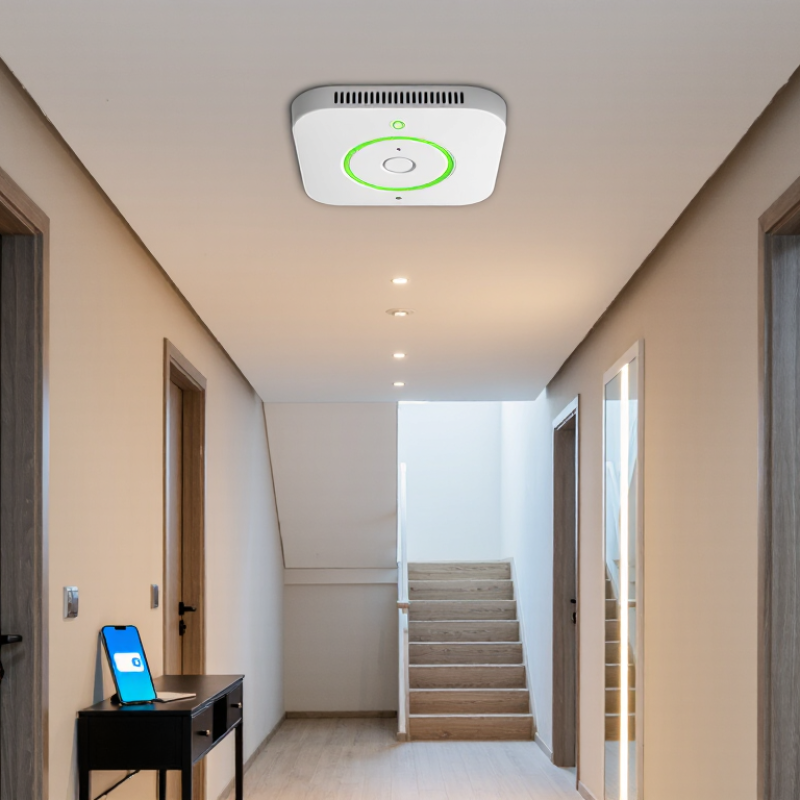
How WiFi Carbon Monoxide Detectors Work
A WiFi carbon monoxide detector uses a sensor, often electrochemical, to measure CO in the surrounding air. It sounds a local alarm when concentration and exposure time reach its alarm threshold. WiFi adds another layer: the detector sends alerts through a home router to an app, sometimes reporting low batteries or faults. It does not remove the danger or guarantee delivery. A power cut, weak signal, or disconnected router can interrupt remote alerts.
The CDC reports that more than 400 people in the United States die from unintentional, non-fire-related CO poisoning each year. That figure is a reminder: the built-in siren matters most.
Tips: Install alarms near sleeping areas and follow the device instructions for placement. Test them monthly, as the U.S. Consumer Product Safety Commission advises, and replace units when their service life ends. Keep a working alarm that does not depend on WiFi. A phone notification can arrive late—or not at all. I would not treat a connected feature as proof that a detector is dependable; check its certification, sensor status, and test results.
Which Safety and Connectivity Features Matter Most
A WiFi carbon monoxide detector should sound a clear local alarm, even when the internet is down. Carbon monoxide has no smell, so a phone notification cannot replace a loud alarm inside the home. Look for recognized safety certification, a visible status indicator, and clear alerts for low batteries or sensor end of life. Check installation guidance carefully; placement and alarm requirements can vary by device.
Connectivity is useful when it adds specific, timely information. A good app should identify which detector triggered, show whether the unit is online, and explain whether an alert signals danger, a fault, or a test. That matters. Push notifications may arrive late if WiFi or phone service fails, so choose a model with backup power and dependable local alarms. If several units are installed, verify that they can alert together, rather than assuming they will.
Test the alarm regularly using the manufacturer’s instructions, and review app permissions before enabling household sharing. Keep the router and detector within a reliable signal range; a hallway with a weak connection can quietly undermine remote monitoring. I would not treat a connectivity score as proof of safety. Batteries age, sensors have service limits, and even a well-designed device needs occasional attention. Test it monthly.
How 2026 WiFi Carbon Monoxide Detectors Compare
In 2026, WiFi carbon monoxide detectors differ less in sensing than in how reliably they alert you. A model with a loud local alarm still works during an internet outage; app-only notifications may not. Look for battery backup, clear end-of-life warnings, and alerts that identify the room. Combination smoke-and-CO units save space, while dedicated CO alarms can be easier to place near bedrooms. UL 2034 sets performance requirements for CO alarms, but it does not measure WiFi reliability or app quality. That matters.
The CDC reports that unintentional carbon monoxide poisoning causes more than 400 U.S. deaths and over 100,000 emergency department visits annually. Against that risk, useful comparisons include sensor type, alarm audibility, backup power, and whether multiple alarms communicate locally. Connected features are helpful, not a substitute for an audible alarm. A sleek app can still be confusing at 2 a.m.; I would test its alert settings before relying on them.
Tips: Place alarms near sleeping areas and on each level, following the device instructions. Test the sound and WiFi notification after setup. Check this. If the router fails, the alarm should still sound locally. Keep the manual nearby; placement details are easy to forget.
How to Choose a Detector for Your Home
Choosing a WiFi carbon monoxide detector starts with dependable detection, not a crowded app dashboard. Carbon monoxide has no smell. Look for independent safety certification recognized in your region, clear end-of-life warnings, and an audible alarm. Check whether the unit uses replaceable or sealed batteries, and whether it keeps sounding during a power or internet outage. WiFi alerts are useful, but they cannot replace a local alarm.
Tips: Place detectors near sleeping areas and on each level of your home, following the device instructions and local guidance. Keep them away from spots the manufacturer identifies as unsuitable. Test the alarm regularly using its test button. Confirm that app notifications reach the right phone, too; a setting can be missed. Connectivity is helpful, but it is not the safety feature to trust most.
Before buying, check the app’s alert history, battery status, and sharing options for household members. Consider whether you can still hear the alarm from a closed bedroom door. A device with simple controls may be easier to maintain than one loaded with features you rarely use. It is tempting to choose the model with the most functions. That is not always the wiser choice. Replace the detector according to its stated service life, even if the app still looks fine.
| Detector type | How connectivity works | Local protection | Remote alerts | Best suited for | What to check before buying |
|---|---|---|---|---|---|
| Listed CO alarm with Wi-Fi-connected hub Best fit for many homes seeking app alerts | The alarm communicates with a compatible hub, and the hub connects to the home network. | Choose a listed alarm that sounds locally and continues detecting CO if the internet is unavailable. | Can send phone notifications when the hub, internet connection, power, and app service are working. | Homes that want remote notifications and are comfortable installing and maintaining a hub. | Confirm the alarm and hub are compatible, the alarm is certified for the local market, and backup power is provided where needed. |
| Wi-Fi-enabled standalone CO alarm | Connects directly to the home Wi-Fi network; no separate hub is required when the model supports direct connection. | Look for a built-in audible alarm and an approved CO-sensing device. Wi-Fi should supplement, not replace, local warning. | Remote alerts depend on Wi-Fi coverage, internet access, device power, and the manufacturer’s app service. | People who want app notifications with fewer separate components. | Check network requirements, battery or backup-power details, alarm certification, and whether alerts require a subscription. |
| Interconnected smart smoke-and-CO alarms | Alarms communicate with one another; some systems use a hub or network connection for phone alerts. | Interconnection can make multiple alarms sound when one detects a hazard, if the units are designed to work together. | Available on some systems; confirm whether alerts work during an internet outage and which alarm types generate notifications. | Homes that want coordinated alerts across several rooms or floors. | Verify compatible models, placement guidance, separate smoke and CO certifications, and the system’s outage behavior. |
| Standard standalone CO alarm | No Wi-Fi connection or app-based monitoring. | Provides an audible warning at the alarm when correctly installed and maintained. | No remote phone notifications. | People prioritizing straightforward local protection or adding alarms where smart connectivity is unnecessary. | Check the applicable safety listing, power source, end-of-life indication, test procedure, and replacement instructions. |
| Plug-in CO alarm with battery backup | Typically operates locally; connectivity depends on the particular model. | Can provide local detection, with battery backup intended to help maintain operation during a power interruption. | Only available if the specific model includes a supported network or smart-home feature. | Locations with a suitable outlet where backup operation is desired. | Check outlet placement guidance, backup-battery requirements, certification, and whether the unit remains functional during an outage. |
| Selection note: There is no single best Wi-Fi CO detector for every home. Choose an independently certified alarm for your country, follow its installation and replacement instructions, and treat app alerts as an additional feature—not a substitute for the local audible alarm. Wi-Fi notifications can be interrupted by internet, power, or service outages. | |||||
How to Install, Test, and Maintain a WiFi Detector
Install the detector exactly as its instructions specify. Choose a location near sleeping areas, and add coverage on other levels when recommended. Avoid placing it beside windows, vents, or cooking appliances, where airflow or fumes may affect readings. Secure the mounting plate, insert the specified batteries, and connect the detector to WiFi through its setup process. Keep required alarms in place; a connected model should not replace other safety devices.
Test it regularly using the test button and schedule in the manual. The button usually checks the alarm and its electronics, not whether the sensor detects carbon monoxide accurately. Never use vehicle exhaust or a flame to test it. Check that phone alerts arrive, and review app permissions and router access after network changes. A strong signal is not proof that alerts work.
Clean the exterior gently with a soft brush or cloth; avoid sprays and solvents. Replace batteries as directed, and note the detector’s end-of-life date. It is easy to overlook that date. Replace the unit when it expires or signals end of life. If the alarm sounds, move everyone outdoors and contact emergency services. Do not re-enter until the area is confirmed safe.
CO Alarm Response Times: UL 2034 Limits
UL 2034 specifies response-time ranges at these carbon monoxide concentrations. The bars show the permitted time from exposure to alarm—not a recommended wait time. Follow your detector’s instructions, test it regularly, and leave immediately if it alarms.