

How to Choose a 5G Doorbell Camera in 2026?
Choosing a 5g Doorbell Camera in 2026 requires more than checking download speed. The real question is simple: can it protect your entrance reliably? A camera should show a clear face, send alerts quickly, and keep working when home Wi-Fi fails. It should also manage heat, weak signal areas, privacy controls, and secure video storage.
The market is moving quickly. Ericsson’s Mobility Report, published in November 2024, estimated 2.3 billion global 5G subscriptions by the end of 2024. It forecast approximately 6.3 billion subscriptions by 2030. GSMA Intelligence also identifies fixed wireless access and connected devices as major 5G growth areas. These figures support stronger cellular security products, but they do not guarantee better doorbell performance. Coverage varies by address. Indoor signal loss can still surprise buyers.
Börje Ekholm, Ericsson’s President and CEO, described 5G as “a platform for innovation” during industry discussions about next-generation connectivity. That idea fits smart doorbells, but only partly. Speed is not everything. Latency, network priority, encryption, battery life, and app stability matter more during a real incident. I may be overvaluing speed here. A fast camera with poor night vision remains a poor security choice. This guide will compare video quality, 5G bands, subscription costs, installation experience, privacy features, and emergency reliability. It will also question impressive specifications that look useful on paper but fail beside a dark front gate.
Define What “5G” Means in Doorbell Cameras
How to Choose a 5G Doorbell Camera in 2026?
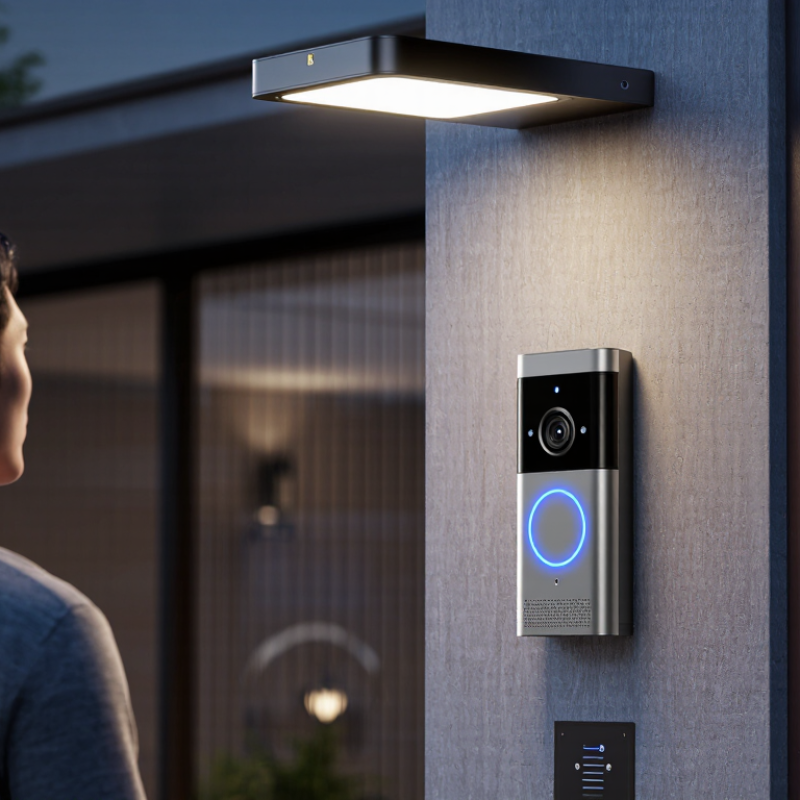
“5G” can describe two different technologies in doorbell cameras. Cellular 5G uses a mobile network through a SIM or embedded connection. It can send alerts without home internet. This helps houses with weak broadband, remote gates, or temporary locations. However, cellular service depends on local coverage, data plans, and network availability.
Wi-Fi 5 GHz is different. It is a wireless frequency used by many home routers. It does not mean the camera connects directly to a 5G mobile network. A product may support 5 GHz Wi-Fi while still requiring home internet. Check the specification carefully. Look for terms such as cellular 5G, SIM support, carrier compatibility, and monthly data requirements.
Power also matters. A cellular 5G camera may use more energy when transmitting video. Battery life can fall quickly in cold weather or busy areas. Test the signal beside your door, not only near a window. I once treated a strong phone signal as proof of reliable camera service. That was too simple. Buildings, metal frames, and network congestion can change performance. Ask whether the camera stores clips locally, encrypts transmissions, and provides clear update policies. A trustworthy device should explain these limits in plain language.
Assess Video Quality, Connectivity, and Power Requirements
How to Choose a 5G Doorbell Camera in 2026?
Video quality should serve real inspection, not just impressive specifications. Sandvine’s 2024 Global Internet Phenomena Report identified video as roughly 54% of global downstream traffic. That demand makes efficient compression important. Choose a camera offering 2K or higher resolution, HDR, infrared detail, and adjustable bitrate. At the gate, test faces against sunlight, rain, and moving shadows. A wide lens helps, but excessive distortion can hide useful details. I have found that sharp daytime footage may become noisy at night. Marketing rarely shows that weakness.
Connectivity needs careful measurement. Ericsson’s November 2024 Mobility Report forecasts 6.3 billion 5G subscriptions worldwide by 2030. However, 5G availability does not guarantee stable service beside your front door. Check signal strength at the mounting position, not inside the house. Ask whether the camera supports automatic network recovery, local recording, and encrypted communication. Low latency improves visitor conversations, but crowded cells can still delay alerts. Test during evening congestion.
Power is easy to underestimate. A cellular radio can consume more energy during weak-signal operation, while frequent motion alerts increase recording time. Select a battery with a clearly stated capacity and realistic operating tests. Solar assistance may help, but shaded porches reduce its value. Wired power is more dependable when available. My own preference is cautious: a slightly less ambitious resolution can be wiser than a dead camera after several cloudy days.
How to Choose a 5G Doorbell Camera in 2026?
Assess video quality, connectivity, and power requirements before installation.
This chart estimates monthly cellular data usage when a camera uploads 10 minutes of video per day. The estimate uses typical H.264 bitrate levels of 2 Mbps for 1080p, 4 Mbps for 1440p, and 8 Mbps for 4K. Actual usage varies with motion detection, compression, frame rate, and cloud-upload settings. For connectivity, select a location with a stable 5G signal and sufficient upload capacity. For power, verify the camera’s voltage and wattage requirements; wired doorbell systems commonly use low-voltage supplies such as 16–24 V AC, while cellular operation may require additional power.
Compare Local Storage, Cloud Plans, and Privacy Controls
How to Choose a 5G Doorbell Camera in 2026?
Choosing a 5G doorbell camera means judging data flows, not download speed. A 5G connection can reduce dependence on home Wi-Fi. It does not automatically make footage private. The 2025 Data Breach Investigations Report analyzed 22,052 incidents and 12,195 confirmed breaches. Its findings reinforce one point: every connected service expands the security boundary. I would test signal strength beside the door before purchasing. A fast plan is useless there.
Local storage gives you stronger control over daily recordings. Look for encrypted storage and automatic overwrite settings. However, a removable card can be stolen or damaged. Cloud storage protects footage from local theft and simplifies remote access. It also creates recurring costs and another account to secure. The 2024 Cost of a Data Breach Report estimated the average global breach cost at 4.88 million dollars. That figure concerns organizations, not households, but it shows why provider security deserves scrutiny. Ask about retention periods, encryption, deletion requests, data locations, and account recovery. Costs accumulate.
Privacy controls should be practical, not decorative. Choose adjustable activity zones, microphone controls, user permissions, audit logs, and two-factor authentication. End-to-end encryption is valuable when available. Automatic face recognition deserves extra caution. I would disable it unless the benefit is clear. Small details matter. Check whether visitors can be recorded outside your property, and whether clips remain after account cancellation. My own preference is local-first storage with optional cloud backup. It is less convenient. That trade-off may still be worth making.
Check Smart Features, Compatibility, and Installation Needs
How to Choose a 5G Doorbell Camera in 2026?
Smart features should solve real household problems, not simply fill a specification sheet. Look for accurate person, package, and motion detection. Adjustable activity zones can reduce alerts from passing cars. Two-way audio is useful when the courier is standing outside. Check whether recordings use secure cloud storage, local storage, or both. Some systems need a monthly plan for useful history. That cost is easy to overlook.
Compatibility deserves careful checking. A 5G doorbell camera may require a supported SIM, network band, and reliable signal near the entrance. Test mobile coverage beside the door, not in the living room. Confirm compatibility with your phone, smart display, and existing chime. A wired model may need a suitable transformer and voltage range. Battery models simplify fitting but require regular charging, especially in cold weather. Not every “wireless” model is maintenance-free.
Installation details often decide reliability. Measure the mounting surface and viewing angle before drilling. A camera facing direct afternoon sunlight may produce washed-out images. Place it high enough to resist tampering, but low enough to capture faces clearly. Weather sealing matters under heavy rain. I would also check night footage before buying; advertised resolution can hide poor low-light performance. My earlier assumption was that stronger 5G always meant better video. It did not. Signal stability, software quality, and careful positioning mattered more. Capture the entrance clearly.
Evaluate Security, Durability, Cost, and Long-Term Support
How to Choose a 5G Doorbell Camera in 2026?
A 5G doorbell camera should protect more than your front step. Test motion detection at night, through rain, and beside moving trees. A clear face image matters more than impressive resolution. Look for end-to-end encryption, two-factor authentication, local storage options, and adjustable privacy zones. The 2024 Verizon Data Breach Investigations Report found that vulnerability exploitation caused 14% of breaches. That makes software updates a security feature, not a small convenience. Cellular connectivity can help when home Wi-Fi fails, but it may create monthly data costs.
Durability deserves a hands-on check. Choose an outdoor rating suitable for dust, heavy rain, and temperature changes. A weak battery can fail during a cold night. Wired power is steadier, but installation may require professional help. Compare the full three-year cost, including storage, cellular service, replacement batteries, and technical support. The Consumer Technology Association’s 2024 research shows continued growth in connected-home adoption, yet many buyers still underestimate subscription expenses. I would not trust a low price alone. Support quality can change after launch.
Tips: Ask for the update policy in writing. Check how long security patches continue. Test the return process before installation. Review data retention settings, too. Keep the camera away from bedrooms and private windows. A small blind spot may be acceptable; unclear data handling is harder to repair.
How to Choose a 5G Doorbell Camera in 2026? - Evaluate Security, Durability, Cost, and Long-Term Support
| Evaluation Dimension | Verified Metric | Practical 2026 Benchmark | Why It Matters | Recommended Assessment |
|---|---|---|---|---|
| 5G Connectivity | Supported cellular bands, 5G NSA/SA compatibility, and LTE fallback | Prefer 5G NSA and SA support with LTE fallback; confirm compatibility with the intended local network | 5G coverage is not uniform. LTE fallback helps maintain alerts when 5G is unavailable | High priority for locations without reliable Wi-Fi |
| Network Security | Encrypted transmission, secure account access, and update controls | Look for TLS 1.2 or newer, multifactor authentication, signed firmware, and secure boot | A doorbell camera can expose live video, audio, location, and visitor information | Essential; reject products with only password-based access |
| Video Resolution | Effective image resolution and frame rate | 1080p is adequate for general monitoring; 2K commonly means approximately 2560 × 1440 pixels and provides more detail | Higher resolution can improve face and parcel detail, but uses more bandwidth and storage | Choose 2K when the entrance is more than a few metres from the camera |
| Night Performance | Infrared visibility, low-light sensitivity, HDR, and glare handling | Prefer HDR or wide dynamic range, infrared illumination, and sample footage recorded in darkness | Bright backlighting, headlights, and low light can make faces unreadable even at high resolution | Test the camera at night before installation |
| Detection Accuracy | Person, package, vehicle, and false-alert controls | Require adjustable activity zones, sensitivity controls, and person detection; package detection is optional | Accurate filtering reduces unnecessary notifications and improves response time | Give extra weight to performance in rain, shadows, and moving vegetation |
| Storage and Retention | Local storage, cloud retention, export format, and service dependency | Prefer encrypted local storage or an optional cloud plan; common cloud retention periods range from 7 to 30 days | Important evidence may be lost if storage requires an active subscription | Confirm whether recordings remain accessible after cancellation |
| Power System | Wired voltage, battery capacity, charging method, and outage behaviour | Wired models generally provide continuous recording; battery models commonly require periodic charging, with actual runtime depending on activity, temperature, and signal strength | Cellular video transmission can consume more energy than standby operation | Select wired power for high traffic or continuous monitoring |
| Weather Resistance | Ingress Protection rating and operating temperature | IP65 protects against dust and water jets; IP66 offers stronger water-jet protection. Verify the stated operating temperature range | Rain, dust, freezing temperatures, and heat can shorten service life or reduce battery performance | Use at least IP65 for exposed outdoor installation |
| Impact Resistance | IK rating for protection against mechanical impact | IK08 withstands an impact energy of 5 joules; select a rated housing when vandalism is a concern | Ingress protection does not automatically indicate resistance to physical impact | Consider IK08 or higher in shared corridors and public-facing locations |
| Audio and Privacy | Two-way audio, microphone controls, privacy zones, and local recording options | Look for microphone mute, configurable privacy masking, visitor audio controls, and clear privacy documentation | Audio may be subject to different consent and recording laws depending on location | Check local regulations before enabling audio recording |
| Installation | Mounting angle, cellular signal strength, power access, and tamper protection | Install approximately 1.2–1.5 metres above the ground when practical and verify signal at the mounting point | A technically strong camera can perform poorly if faces are obscured or cellular reception is weak | Inspect the doorway angle and network signal before purchase |
| Total Cost of Ownership | Hardware, installation, cellular data, cloud storage, and replacement costs | Typical connected-camera hardware often ranges from about US$100–350; cloud plans may range from free to approximately US$15 per month, excluding cellular service | A low purchase price can become expensive when data and subscription fees are added | Calculate the three-year cost before comparing products |
| Data Usage | Video bitrate, event frequency, resolution, and live-view duration | A 1080p stream at roughly 2–5 Mbps can use about 0.9–2.25 GB per hour of continuous video; event-only recording uses substantially less | Cellular data limits can affect monthly cost and recording availability | Prefer event-based recording unless continuous recording is required |
| Latency and Availability | Alert delay, live-view startup time, and service uptime | Test alerts and live view during busy network periods; require operation after brief internet interruptions where possible | Delayed notifications reduce the security value of the device | Give preference to systems with offline buffering or local event storage |
| Long-Term Support | Published security-update policy, app support, repairability, and end-of-service terms | Prefer a written commitment of at least 3–5 years of security updates and clear notice before cloud-service retirement | A discontinued app or cloud platform can make otherwise functional hardware unusable | Essential for a security product expected to operate for several years |
| Overall Selection Rule | Security, durability, cost, connectivity, and support should be evaluated together | A balanced choice should offer secure authentication, LTE fallback, IP65 or better protection, suitable power, transparent fees, and a documented update policy | The strongest specification in one category cannot compensate for weak privacy, unreliable connectivity, or unsupported software | Choose the model with the lowest verified three-year risk and cost |
Note: Prices, cellular availability, battery runtime, and cloud features vary by country, network conditions, recording settings, weather, and installation method. Verify the current specification sheet, service terms, and local legal requirements before purchase.