

How to Choose Bluetooth Smart Glasses for Your Business
Choosing Bluetooth Smart Glasses for business is not a fashion decision. It is a workflow decision. The right pair should make a specific task easier, whether that means taking calls hands-free, hearing navigation cues, or capturing information without reaching for a phone. Small details matter: a clear microphone in a noisy warehouse, a comfortable fit during a long shift, and controls workers can use with gloves.
The Bluetooth SIG’s 2024 Market Update projects annual Bluetooth device shipments will reach 7.5 billion by 2028. That forecast signals a broad, growing ecosystem, but it does not prove that every pair of smart glasses will work with your existing devices. Check operating-system support, connection stability, battery life, audio quality, and management tools before comparing price. Mark Weiser, the computer scientist who helped shape ubiquitous-computing research, wrote: “The most profound technologies are those that disappear.” It is a useful design test for wearables: the technology should support work without demanding constant attention.
Real-world trials can expose what a specification sheet misses. Ask a small group to wear the glasses through a typical shift, then record comfort, pairing issues, call clarity, and charging needs. Test them in the actual workspace. A quiet meeting room may hide weak microphones; a full day may reveal pressure points. And be candid: some tasks may still be easier with a phone or headset. This guide explains how to compare Bluetooth Smart Glasses by use case, compatibility, durability, support, and total cost—so your decision rests on observed performance, not impressive promises.
Understanding Bluetooth Smart Glasses and Their Business Uses
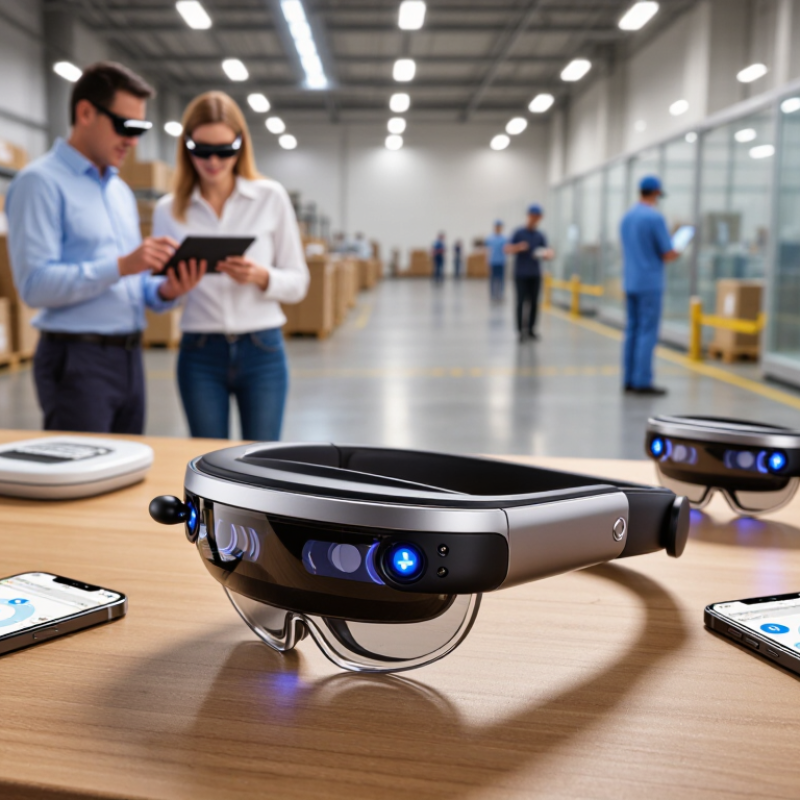
Bluetooth smart glasses pair ordinary eyewear with small speakers, microphones, and a wireless link to a phone or tablet. They can support hands-free calls, spoken reminders, and audio instructions while a worker keeps both hands available. In field service, a technician might hear a checklist while inspecting a machine. In retail, staff could receive short updates without stepping away from a customer. The glasses do not replace a computer or a clear work process. They add a different way to access information.
Business fit depends on the task and the wearer. Check call clarity in a busy room, comfort during a full shift, battery life, and compatibility with existing devices. Test the controls with gloves if staff wear them. Also consider how microphones and cameras, if included, affect workplace privacy. Set clear expectations about when recording features may be used. Small speakers may be hard to hear near loud equipment, and all-day comfort varies by person. That matters. A quick demo is useful, but a full-shift trial reveals more.
Tips: Ask employees to test the glasses during real tasks. Note missed calls, pressure points, and charging needs. Compare those observations with the time or effort the device actually saves. A little inconvenience can undermine an otherwise promising tool.
Defining Your Team’s Needs and Work Environments
Choose Bluetooth smart glasses around actual tasks, not a feature checklist. The U.S. Bureau of Labor Statistics’ 2023 American Time Use Survey found that 35 percent of employed people did some or all of their work at home on days they worked. A team split between home offices, warehouses, and client sites will need different microphone quality, battery life, and comfort. Ask workers to describe a typical shift. Details matter: a hard hat, safety glasses, or frequent headset changes can make an otherwise useful frame impractical.
Map noise and movement before comparing models. NIOSH recommends limiting occupational noise exposure to 85 dBA averaged over an eight-hour workday. OSHA also uses 85 dBA as the action level for hearing-conservation requirements. Smart glasses are not hearing protection. In a loading bay, test call clarity during real equipment noise; in a quiet office, check whether audio leaks to nearby coworkers. Small differences matter.
Then trial the glasses on representative tasks: reading a work order, taking a short call, and walking between stations. Check Bluetooth stability through the team’s actual rooms and devices, not just a showroom demo. Note who needs prescription lenses and who wears frames all day. Comfort is easy to underestimate. One awkward fit can undo a polished rollout. Pilot the devices with a small group, collect blunt feedback, and revise the requirements; the first list will probably miss something.
Comparing Connectivity, Compatibility, and Essential Features
How to Choose Bluetooth Smart Glasses for Your Business
Comparing Connectivity, Compatibility, and Essential Features
For business use, compare Bluetooth stability, device compatibility, and practical features before considering appearance. A reliable connection should handle calls and audio without frequent dropouts. Test the glasses in your actual workspace. Walls matter. Check whether they pair with the phones, tablets, or computers your team already uses, and confirm support for your operating systems. A feature list may look impressive, but compatibility can vary after software updates. Ask about update support and verify key functions during a trial.
Tips: Walk through a typical workday while testing. Try calls near a busy hallway, then move to a quieter room. Check microphone clarity, control placement, battery life, and charging time. If several employees will share devices, confirm how easily each person can pair and disconnect. Small details count.
Choose essential features around real tasks, not hypothetical ones. Open-ear audio may help staff stay aware of nearby conversations, though it can be less suitable in noisy spaces. Consider fit, weight, prescription options, and cleaning needs for repeated daily wear. I would not treat a single successful pairing as proof of reliability; test different devices and repeat the checks over several days. That takes time, admittedly, but it can reveal connection or comfort issues that a quick demonstration misses.
| Business Use Case | Connectivity to Check | Compatibility Checks | Essential Features | Practical Evaluation |
|---|---|---|---|---|
| Retail and customer service | Confirm the Bluetooth version and whether the glasses support the audio functions your workflow needs. Bluetooth range varies with device design, obstacles, radio interference, and the connected device. | Test pairing with the business phones or tablets in use. Check support for the required operating system, companion app, and any point-of-sale or communication software. | Clear microphone and speaker, simple call or media controls, comfortable all-day fit, and a microphone that performs adequately in a busy shop. | Test calls and voice commands in a realistic store environment. Verify that staff can hear prompts without blocking awareness of nearby customers. |
| Warehouse and logistics | Check connection stability around shelving, equipment, and other wireless devices. Confirm whether the glasses reconnect reliably after moving out of and back into range. | Verify compatibility with the actual handheld scanners, phones, or tablets used on site. Confirm that required work apps support the glasses’ audio or input functions. | Secure, comfortable fit; accessible physical controls; durable construction suited to the work environment; and voice interaction that works with required applications. | Run a shift-length trial while walking through normal work areas. Check comfort, connection interruptions, control usability, and whether battery life covers the intended shift. |
| Field service and maintenance | Check the advertised Bluetooth range, but validate performance on site: walls, vehicles, metal structures, and other obstacles can reduce usable range. | Confirm phone and operating-system support, app permissions, and compatibility with the company’s service, messaging, or remote-assistance tools. | Hands-free calls, understandable audio, easy-to-operate controls, weather suitability for the job, and a charging method that fits field routines. | Test calls and instructions at representative job locations. Review the manufacturer’s stated environmental limits rather than assuming the glasses are water- or dust-resistant. |
| Healthcare and care services | Determine whether the intended workflow uses Bluetooth audio, app notifications, or data transfer. Bluetooth audio support and low-energy data features are not interchangeable. | Check approved-device policies, operating-system support, application compatibility, and the organization’s privacy and security requirements before deployment. | Clear, controllable audio; discreet physical controls; a hygienic, cleanable design where specified by the manufacturer; and minimal disruption to patient interaction. | Evaluate in the intended care setting and confirm that use complies with organizational policies. Do not assume the glasses are a medical device or suitable for clinical use without verification. |
| Office calls and remote collaboration | Check support for the Bluetooth audio profiles and call functions needed by the connected device. Profile support can differ by product and operating system. | Test with the conferencing application and computer or phone models employees use. Confirm whether a companion app or additional setup is required. | Comfort for extended wear, usable microphone quality, straightforward mute and call controls, and reliable reconnection between meetings. | Compare microphone intelligibility and listening comfort during real calls. Check whether the glasses can maintain the required connection when employees move around. |
| Mobile work across multiple devices | Check whether the glasses support multipoint connection if users need to connect to more than one device at the same time. Confirm how switching between devices works. | Test every intended device combination, including phones and computers. Compatibility with one device does not guarantee identical behavior with another. | Simple pairing and switching, clear status indicators, manageable controls, and battery life suited to the expected daily use. | Pair the glasses with the actual devices, place calls, play audio, and switch sources. Record any reconnection steps or limitations for employee training. |
| Buying note: Compare manufacturer specifications, then test shortlisted models with your actual devices, apps, work environments, and expected wear time. Bluetooth performance and compatibility can vary by device, software version, and surroundings. | ||||
Evaluating Comfort, Durability, Privacy, and Security
Comfort is an operational requirement, not a showroom detail. During a pilot, wear each pair through a typical shift, including time spent looking down at a tablet. Check whether the nose pads leave marks and whether the arms press behind the ears. Small discomfort becomes distraction. Weight balance matters as much as total weight; front-heavy frames can slip when staff bend or move quickly. Ask employees with prescription lenses or safety eyewear to test the fit, too. Their needs may expose gaps a short demonstration misses.
Durability depends on daily handling, not just a product sheet. Inspect hinge movement, lens stability, and charging contacts after repeated use. A stated water or dust rating can guide selection, but it does not make glasses indestructible. Privacy deserves equal scrutiny. Choose models with clear recording indicators, easy-to-find mute controls, and settings that limit unnecessary data collection. Test whether audio or video can be captured without an obvious signal. Review how recordings are stored, who can access them, and how they are deleted. Security settings may look adequate until someone changes a default password or shares a device. That risk is easy to underestimate.
Planning Costs, Deployment, and Ongoing Support
Choosing Bluetooth smart glasses for a business means budgeting beyond the purchase price. Include charging cases, spare units, fitting time, and staff training. A low-cost device can become expensive if workers need frequent help or replacements. Estimate costs over two or three years, not just the first order. A first estimate is often wrong.
Tips: Test a small group in real work conditions. Check comfort after a full shift, voice clarity near machinery, and battery life during actual tasks. Record setup time and support requests. Small details matter.
Plan deployment around the workday. Assign someone to manage pairing, updates, and device checkout, and document simple steps for staff. Confirm that the glasses work with your existing phones, software, and network before buying at scale. Keep a few spare devices available; even a short outage can interrupt a task. Ongoing support should cover troubleshooting, repairs, replacement timelines, and secure handling of company information. Ask suppliers how long updates are expected to continue, and what happens when a model is discontinued. These answers may be vague, so get practical commitments in writing. A pilot reduces risk, but it cannot reveal every problem. Revisit your budget after the first month.