

How to Choose a Fingerprint Smart Lock?
Choosing a Fingerprint Smart Lock is not just about opening your door with a touch. It means deciding how the lock should respond when a finger is wet, a battery runs low, or a family member needs access. A good choice balances recognition speed, dependable backup entry, privacy, and simple daily use. Small details matter: where the sensor sits, whether the keypad is easy to read at night, and how clearly the low-battery warning appears. A polished product page cannot answer every question.
Security technologist Bruce Schneier offers a useful principle: “Security is a process, not a product.” It applies here, even though his work is broader than fingerprint locks. Look beyond the sensor. Check how the lock stores biometric data, manages user permissions, and receives software updates. Test the backup method before relying on it. Ask whether the lock fits your door and works with your home’s Wi-Fi or smart-home system. Not every feature is useful. Some may add complexity without improving your routine. And no model is perfect. Fingerprint recognition can be less consistent for some users, so a keypad, key, or other backup may matter. This guide will compare the practical features, installation needs, and security questions that help narrow your options. The best lock is not necessarily the one with the longest feature list. It is the one you can use confidently, maintain properly, and still access when conditions are less than ideal.
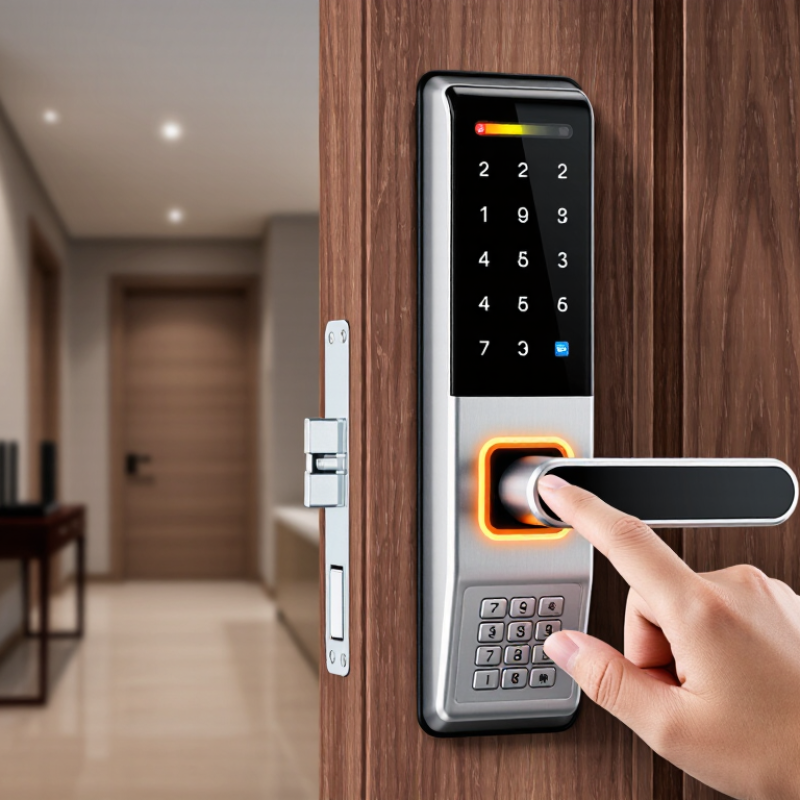
Understand How a Fingerprint Smart Lock Works
How to Choose a Fingerprint Smart Lock?
Understand How a Fingerprint Smart Lock Works
A fingerprint smart lock starts with a sensor reading the ridges and valleys on your fingertip. Optical sensors capture a light-based image; capacitive sensors measure tiny electrical differences. The lock converts these details into a digital template, then compares each new scan with enrolled templates. Not quite magic. A match signals the controller to power a motor and retract the bolt. You may hear a soft click before the door opens.
That short sequence depends on more than the sensor. Moisture, dust, worn fingerprints, or a fingertip placed at an angle can affect a scan. Try the reader with clean, dry fingers, and check whether the lock offers a keypad or key backup. Ask how templates are stored and protected; local storage and clear deletion controls are useful details to verify. The exact design varies, so a product description alone may not tell the whole story.
NIST Special Publication 800-63B provides a useful technical benchmark: it calls for biometric systems to meet a false-match rate of 1 in 1,000 or better, and says biometrics should be used with a physical authenticator. This guidance is not a certification for household locks. Still, it helps frame a sensible question: how does the device balance missed scans against mistaken matches? A reliable choice should explain its matching process, enrollment steps, and backup access plainly.
How to Choose a Fingerprint Smart Lock? - Understand How a Fingerprint Smart Lock Works
| Dimension | How It Works | What to Check When Choosing |
|---|---|---|
| Fingerprint sensor | The sensor reads fingerprint features and converts them into data that the lock can compare with enrolled fingerprints. Capacitive sensors detect differences in electrical capacitance; optical sensors capture an image using light. | Check the sensor type, placement, and whether it is easy to use with the way you naturally approach the door. Sensor type alone does not establish overall security or recognition quality. |
| Enrollment and matching | During enrollment, the lock records fingerprint characteristics as a template. On later scans, it compares the new scan with stored templates and unlocks when a match meets its programmed threshold. | Look for clear enrollment instructions and the ability to add, review, and remove users. Recognition can vary with finger placement, skin condition, and sensor cleanliness. |
| Template storage and privacy | Many smart locks store fingerprint templates in the lock, while some connected systems may use additional services. A template is processed biometric data, not simply a password that can be changed if exposed. | Read the privacy and security documentation to learn where templates are stored, whether they leave the lock, and how user data is deleted when access is revoked or the lock is reset. |
| False acceptance and rejection | A false acceptance occurs when an unauthorized scan is accepted; a false rejection occurs when an authorized user is not recognized. Matching thresholds balance these outcomes, and test methods may differ between products. | Do not compare accuracy claims without checking how they were tested. Consider user reviews and return policies, and confirm that a backup entry method is available. |
| Finger condition and environment | Moisture, dirt, cuts, worn fingerprints, or very dry skin can make a scan harder to read. Outdoor exposure to rain, dust, or temperature changes can also affect operation if the lock is not designed for those conditions. | Check the stated operating conditions and weather-protection rating, if applicable. Keep the sensor clean and consider enrolling more than one finger for users who may have inconsistent scans. |
| Power and emergency access | The sensor, processor, and motor require power. Low batteries can affect electronic operation; many locks provide a low-battery warning and one or more alternative entry or emergency power options. | Check the battery type, warning method, backup key or external emergency power option, and the instructions for using it. Confirm how the lock behaves when batteries are depleted. |
| Access methods and user management | Depending on the model, access may also be available through a keypad, physical key, app, or other supported method. Administrators can typically add or remove credentials, though features vary. | Choose methods that suit everyone who needs access. Check how temporary access is managed, whether access history is available, and whether core unlocking requires an internet connection. |
| Door and installation compatibility | A smart lock operates a mechanical bolt or latch as well as its electronic components. Door dimensions, existing hardware, alignment, and bolt movement can affect installation and reliable operation. | Compare the lock’s installation specifications with your door thickness, backset, bore holes, and lock type. Make sure the bolt moves freely before relying on the electronic features. |
| Mechanical security | Fingerprint recognition controls access electronically, but physical security also depends on the bolt, cylinder, strike plate, door, and frame. Smart features do not by themselves establish resistance to forced entry. | Review the lock’s mechanical specifications and any applicable independent testing or certification. Assess the door and frame as part of the complete entry system. |