

10 Hotel Digital Signage Tips for Global Buyers
Hotels Digital Signage can help guests find the lobby, check breakfast hours, or understand a late-night service change. For global buyers, choosing a display is only part of the decision. A bright screen may work well beside a sunlit entrance but feel harsh in a quiet corridor. A useful system must fit the property, its staff, and the way guests move through it.
These ten tips consider the details that are easy to miss: screen size and placement, content management, language support, network needs, accessibility, installation, and after-sales service. Buyers should ask how teams update content across time zones, what happens when a screen loses connection, and whether local staff can make routine changes without outside help. Test those answers with real workflows, not just a polished sales demonstration. Small details matter.
A reliable assessment also looks beyond the initial quote. Compare warranty terms, replacement-part availability, energy use, and the supplier’s experience supporting hotels in different regions. Request references or a practical demonstration where possible, and confirm that proposed features suit the property’s existing infrastructure. Not every hotel needs the same setup. A resort with several buildings has different needs from a compact city hotel. No checklist is perfect. Even a well-planned installation can reveal an awkward viewing angle or a confusing message once guests start using it. These tips offer a grounded starting point, while leaving room to review, adjust, and learn from the people who use the screens every day.
Understanding Hotel Digital Signage and Its Core Functions
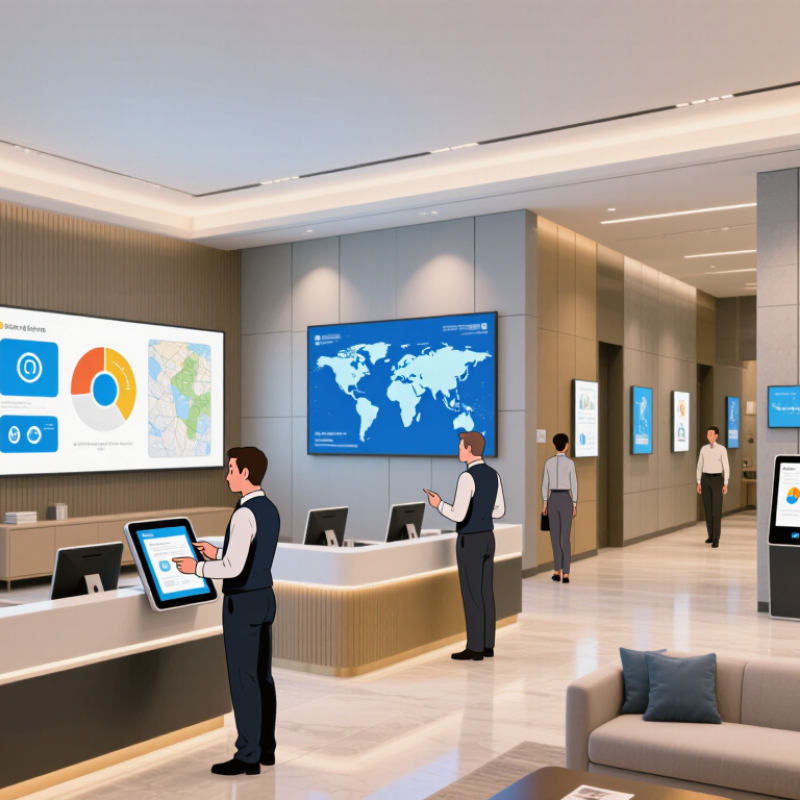
Hotel digital signage is a network of screens that shares timely information with guests and staff. In a lobby, it might show check-in guidance, restaurant hours, or directions to meeting rooms. Its core function is not decoration. It helps people find useful information at the moment they need it.
A screen is not a strategy.
A content management system lets hotel teams update messages across selected screens, sometimes from one location. A manager can change breakfast hours on lobby displays without replacing printed signs. Screens may also show event schedules, transport details, or local weather.
For global properties, multilingual content matters. Short phrases, clear icons, and readable type help guests scan messages quickly, even in a busy lobby.
Digital signage can support wayfinding and reduce repeated questions at reception, but it does not replace attentive staff. Information needs regular checks; an outdated meeting-room name can send guests in the wrong direction. Screen placement matters, too. A display hidden behind a queue offers little help.
Buyers should consider brightness, viewing distance, network reliability, and who will maintain the content. It is easy to assume every guest will notice a screen. That assumption deserves a second look.
Identifying Guest Needs Across Different Markets
A hotel lobby is a small, busy crossroads: guests arrive tired, scan for breakfast hours, and look for directions in different languages. UN Tourism’s World Tourism Barometer estimated 1.4 billion international tourist arrivals in 2024, nearly 99% of 2019 levels. That scale makes one-language, one-layout signage a risky default. CSA Research’s 2020 study found that 76% of consumers prefer information in their own language, while 40% would not buy from a website in another language. Though the study concerns online purchasing, it signals why readable, translated wayfinding matters inside hotels too.
For each market, buyers should map the guest journey before choosing screens or content: arrival, check-in, breakfast, transport, and late-night requests. Test translations with local speakers, not only automated tools. A translated phrase may be correct yet awkward on a narrow screen. Keep key details visible, use clear icons, and avoid relying on color alone; guests may view signs in glare or from across a crowded lobby. Check date, time, and temperature formats against local expectations. Small details count. Still, market research can flatten real differences between guests. Review questions at the front desk and update content regularly; the first draft will probably miss something.
Choosing Displays, Content Systems, and Language Options
For global hotels, display choice starts with the viewing conditions, not the screen size alone. A lobby screen must stay readable beside glass doors and changing daylight. Check brightness from the guest’s actual viewing distance, and test glare at different times of day. Small detail. In corridors, a smaller screen may work better if guests pass quickly. Confirm mounting options, service access, and compatibility with the property’s existing network before ordering. A pilot installation can reveal problems that a specification sheet misses.
The content system should let authorized staff update schedules across locations without making every change a technical project. Ask whether it supports time zones, emergency notices, and approval steps. Test it. A system that works well in one property may feel cumbersome across several regions; staff feedback matters. Language options need equal care. Use professionally reviewed translations for essential guest information, and check line breaks on the actual display. Some languages need more space than English. Avoid shrinking text until it becomes difficult to read. Keep dates, times, and room directions consistent across screens. Automated translation can help with drafts, but it may miss local phrasing. A short on-site review is worth the extra effort. Planning still misses things: a translated welcome message may fit the template but wrap awkwardly on a narrow screen. Review real content before rollout.
10 Hotel Digital Signage Tips for Global Buyers - Choosing Displays, Content Systems, and Language Options
| No. | Decision Area | Practical Tip | Selection Check | Why It Matters |
|---|---|---|---|---|
| 1 | Display location | Match the display type to its environment: consider indoor screens for lobbies and meeting rooms, and purpose-built outdoor or high-brightness screens for exposed areas. | Check viewing distance, ambient light, temperature range, mounting position, and whether the screen is protected from rain or direct sunlight. | Environmental conditions affect readability, safe operation, and equipment life. |
| 2 | Screen size and resolution | Choose screen size based on viewing distance and the amount of information shown. Use a resolution that keeps text and maps legible at the intended distance. | Review the actual layout at full size and test key content from the farthest normal viewing point. | A high-resolution screen cannot compensate for text that is too small or a layout that is too crowded. |
| 3 | Orientation and mounting | Decide whether each screen should be landscape or portrait before creating templates. Use secure mounts suitable for the wall, ceiling, or floor installation. | Confirm screen orientation, cable routing, service access, viewing angle, and local installation requirements. | Early planning helps prevent layout rework and difficult maintenance access. |
| 4 | Content management system | Select a content management system that lets authorized staff schedule, review, and update screens remotely, with user roles appropriate to their responsibilities. | Ask about scheduling, preview and approval workflows, device monitoring, access controls, and support for your operating environment. | Central management can simplify updates across multiple properties while limiting unauthorized changes. |
| 5 | Connectivity and offline playback | Check whether the system can keep scheduled content available during a temporary network interruption and synchronize updates after the connection returns. | Test the expected network setup, content download process, recovery behavior, and any bandwidth limits. | Offline playback can help keep essential wayfinding and service information visible during connectivity disruptions. |
| 6 | Language options | Plan language versions for guest-facing content, including translated text, date and time formats, and right-to-left layout where required. | Check font support, line wrapping, text expansion, right-to-left rendering, and the process for reviewing translations. | Languages can differ in length and direction, so a translated message may need a different layout rather than a direct text swap. |
| 7 | Readable, accessible content | Use concise wording, strong text-background contrast, clear headings, and visual cues that do not rely on color alone. | Review content for legibility, contrast, glare, viewing angle, and accessibility needs relevant to the installation. | Clear presentation helps guests find information quickly in busy public spaces. |
| 8 | Content accuracy and timing | Assign an owner to check event schedules, restaurant hours, service notices, and other time-sensitive information. Set expiry times for temporary messages. | Define who creates, approves, translates, and removes content, and how urgent corrections are handled. | Outdated information can confuse guests and create avoidable service issues. |
| 9 | Security and privacy | Use individual accounts, role-based permissions, strong authentication where available, and a documented process for software and device updates. | Ask how access is managed, how devices receive updates, what data is collected, and how data is protected. | Displays connected to a network should be managed as part of the property's broader IT and privacy practices. |
| 10 | Pilot and ongoing support | Run a pilot in a representative area before expanding. Include local staff in testing and document routine checks, troubleshooting, and replacement procedures. | Evaluate readability, language rendering, update workflow, network performance, support availability, and maintenance access. | A small-scale test can reveal practical issues before they affect multiple locations. |
Comparing Vendors, Costs, and Regional Compliance
Global hotel signage buyers should compare vendors on more than screen price. UN Tourism’s January 2025 World Tourism Barometer reported about 1.4 billion international tourist arrivals in 2024. That scale makes language updates, time zones, and remote support practical buying criteria. AVIXA’s 2024 Industry Outlook and Trends Analysis estimated global professional audiovisual revenue at about $325 billion. This covers a broad market, not hotel signage alone, so it cannot predict a project’s price. Ask vendors to separate hardware, software, installation, connectivity, support, and replacement costs. A low quote can hide expensive service visits.
Tip: Request a three-year total-cost estimate and a live demonstration of scheduling across properties. Test a dim lobby screen, not just a bright showroom display. Small screens matter. Confirm who handles translations, software updates, and outage response in each region; vague ownership becomes a real headache.
Regional compliance needs its own checklist. Ask local teams to review electrical and fire-safety requirements, accessibility, data handling, and rules for public-facing displays. W3C’s WCAG 2.2 offers useful accessibility guidance, including contrast and text alternatives, but local obligations can differ. Check current requirements with qualified regional advisors. One awkward truth: even a technically compliant screen can be unreadable from a wheelchair or under afternoon glare. Pilot the content in an actual guest area, document what fails, and revise before rollout.
Planning Installation, Maintenance, and Performance Measurement
For hotel teams buying digital signage across several countries, begin with a site survey, not a screen order. Check viewing distance, daylight, power outlets, network coverage, and wall strength in each location. A display near a sunny lobby entrance may need different brightness from one outside a meeting room. Confirm mounting height with staff who use the space every day. Guests should be able to read directions without stopping in a busy walkway.
Plan installation around hotel operations. Map cable routes, access permissions, delivery windows, and local support before equipment arrives. Keep a record of screen locations, settings, and replacement parts. It saves time later. Choose a maintenance schedule that includes cleaning vents, checking connections, and testing playback. Dust can build up behind a display, while a loose cable may cause intermittent outages. Remote monitoring helps, but it cannot replace an occasional physical inspection. That assumption can fail.
Measure performance against a clear purpose for each screen. Track uptime, content update delays, and whether guests can find key information more easily. Use short staff interviews and simple guest feedback, not view counts alone. Compare results by location and time of day. If a screen is repeatedly ignored, test its placement or message length before adding more content. Keep the process flexible; early measurements may be imperfect, and teams should note what they still cannot explain.