What Are the Top Small TFT Displays for Your Project?
Choosing a Small Tft Display is less about finding the smallest screen and more about matching its strengths to the job. A handheld meter may need crisp text, low power use, and a dependable viewing angle. A compact control panel may benefit more from touch response and strong brightness. Even a few millimeters can affect the enclosure, cable routing, and how comfortably a user reads the screen.
This guide compares common options, including IPS panels for wider viewing angles and TN panels for cost-conscious designs. It also considers resolution, active area, interface, brightness, touch support, and operating conditions. A bright workshop, for example, can make a dim display look washed out, while a high-resolution panel may add little value if the interface uses oversized icons. Small details matter.
Specifications help, but they do not tell the whole story. A neat spec sheet can still mislead. Check the module’s dimensions, connector, and documentation before designing a board around it. If possible, test a sample inside the actual enclosure; reflections and viewing angle can change once the screen is installed. There is no single best display for every project, and this comparison cannot replace hands-on testing. It should, however, make the trade-offs easier to see and help narrow the shortlist with fewer guesses.
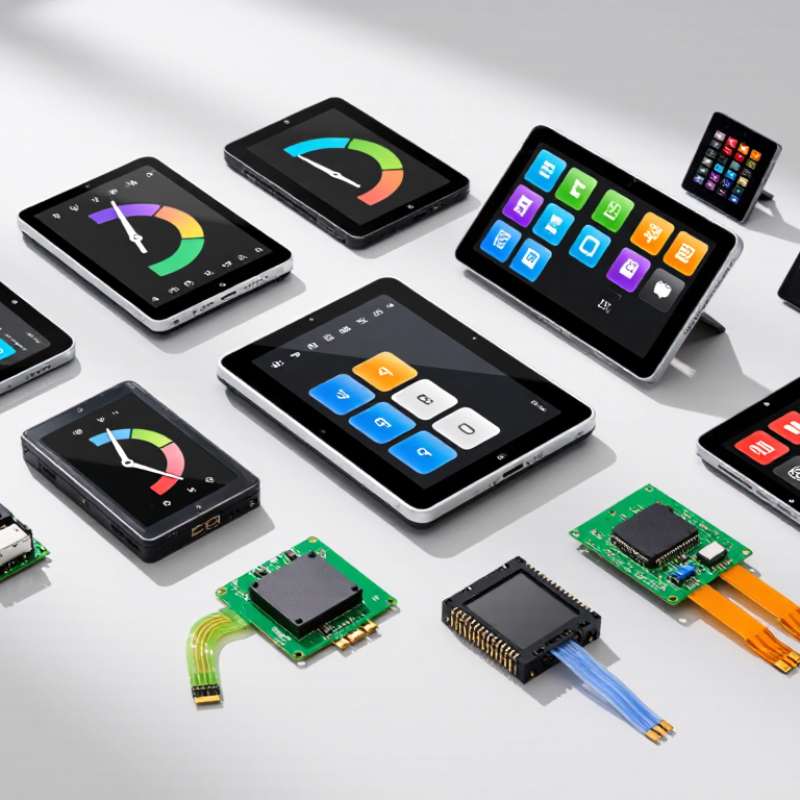
Key Features That Define a Small TFT Display
A small TFT display is more than a bright rectangle. Check its diagonal size, resolution, viewing angle, and interface before choosing one. A 2.4-inch screen with 320 × 240 pixels can show clear menus, but tiny labels may still feel cramped. Try the actual text and icons at their intended size. Looks fine on paper.
Brightness matters when the device will be used near a window or outdoors. For an indoor controller, moderate brightness may save power and reduce glare. Contrast and viewing angle also affect readability; a screen that looks sharp head-on can lose detail when viewed from the side. Check the display under realistic lighting, not only in a dark room. Small tests help.
The interface must match the project’s processor and wiring. SPI often uses fewer data lines, while parallel connections can support faster updates but need more pins. Confirm voltage levels, connector pitch, and driver compatibility before designing the board. Touch capability adds convenience, but it can also increase cost and integration work. That trade-off is easy to overlook. Finally, consider temperature range, backlight life, and mounting depth. A display that fits the enclosure may still leave too little room for its cable or bezel. Specifications help, but a physical sample can reveal awkward reflections or a stubborn connector. Do not assume the first choice is perfect.
Comparing Small TFT Display Sizes, Resolutions, and Aspect Ratios
Choosing a small TFT display starts with the space available, not the largest resolution on a specification sheet. A 1.8-inch panel can suit a handheld meter, while a 3.5-inch screen gives menus and diagrams more breathing room. Measure the visible area, then check the module’s outer dimensions; its bezel and connector need space too. Small details matter.
Resolution affects how clearly text and graphics appear. On a 240-by-320-pixel display, compact icons may look crisp, but dense tables can feel cramped. A 480-by-320 panel offers more pixels, yet those pixels do not automatically make controls easier to use. Match font size to viewing distance. Test labels at actual size, not only on a laptop preview.
Aspect ratio shapes the layout. A 4:3 screen often fits gauges and square menus, while a wider panel can suit timelines or landscape dashboards. Rotating a display may simplify the interface, but check cable routing and mounting before committing. I’ve seen teams focus on pixel counts and overlook this. It happens. Compare two candidate screens with a paper mock-up, including touch targets and status indicators. The first layout may still feel awkward, and that is useful feedback before enclosure tooling begins.
Small TFT Displays: Size, Resolution & Aspect Ratio
The bars compare the approximate pixel count of common small TFT display configurations. Labels show diagonal size, resolution, and width-to-height ratio. These are representative configurations; availability varies by module.
Evaluating Interfaces, Power Needs, and Touchscreen Options
A small TFT display can look simple on a product sketch and become a wiring problem on the bench. Check the interface before comparing resolution. SPI uses fewer signal lines, but its practical refresh rate depends on the controller, display size, and how much content changes. Parallel RGB can suit richer motion, though it asks for more pins and careful timing. MIPI interfaces may fit compact, data-heavy designs, but they add integration work. That matters. Confirm the display’s logic voltage and connector pinout against your board, not just the product listing. A bright white screen can also draw far more power than a dark one, so measure current with the backlight at your intended setting.
Touch choice depends on how people will use the device. Projected capacitive touch supports familiar gestures and a smooth cover glass, but moisture, gloves, and electrical noise can affect response. Resistive touch works with a gloved finger or stylus, though its surface may feel less crisp. Keep the touch controller’s interface and interrupt pin in your wiring plan; they can compete for pins with the display. Measure it twice. In a battery-powered prototype, test active, dimmed, and sleep modes separately. I would not assume the display’s advertised standby figure represents the whole system; the backlight circuit and host board still consume power. A slightly lower resolution may be the better fit if it leaves room for a larger battery and readable controls.
Matching Small TFT Displays to Common Project Requirements
What Are the Top Small TFT Displays for Your Project?
Matching Small TFT Displays to Common Project Requirements
Choosing a small TFT starts with the task, not the diagonal measurement. A handheld sensor may work well with a 1.8-inch screen and simple menus. A wall-mounted controller often needs larger text and a wider viewing angle. Small is not simple. Check native resolution, touch requirements, and interface compatibility before ordering.
Brightness deserves an in-place test. A screen that looks clear on a desk may wash out behind tinted glass or in sunlight. For battery-powered devices, compare typical current draw, not just peak brightness. SPI can suit basic readouts; higher-resolution graphics may need a faster interface. Leave room for connectors, mounting tabs, and the backlight driver. They are easy to overlook.
Repairability matters, too. The UNITAR and ITU Global E-waste Monitor 2024 reports 62 million tonnes of e-waste generated worldwide in 2022, with only 22.3% documented as formally collected and recycled. That is a useful reason to favor replaceable display modules and standard connectors.
A recurring design mistake is choosing the smallest panel before testing text size at the actual viewing distance. Print a mock-up, mount it, and check it under the project’s real lighting. One test can change the choice.
Checking Compatibility and Performance Before Integration
Before selecting a small TFT display, check its electrical and mechanical fit against the host board. Confirm the interface, pinout, logic voltage, and connector orientation in the display documentation. A matching resolution does not guarantee compatibility. The controller may require different initialization commands, or the available driver may not support its color format. Measure the usable panel area too, not just the advertised diagonal.
Then test performance under realistic conditions. A screen that looks clear indoors may wash out beside a sunlit window. Compare brightness, viewing angle, refresh behavior, and power draw using the intended backlight settings. On the bench, display moving text and fine lines; flicker or smearing can appear only during updates. Check touch response separately if the panel includes a touch layer. It may add wiring, calibration, and firmware work.
Fit matters in the enclosure. Leave room for the cable bend, mounting points, and any backlight circuitry. Run the display for several hours while monitoring temperature and supply stability. A small voltage dip can cause resets that look like software bugs. I would not treat a quick startup as proof of reliability; it is an easy mistake to make. Test the actual cable length and operating environment before finalizing the design.