

top of page

Why Choose Industrial Printing Systems for Your Business?

Industrial Printing Systems are changing how manufacturers mark, decorate, and identify products at scale. A production line may print a crisp serial number onto a metal component, then apply a variable code to packaging minutes later. That flexibility matters. Grand View Research estimated the global industrial printing market at about $19.7 billion in 2023 and projected a 10.3% compound annual growth rate from 2024 to 2030. This is a market forecast, not a guarantee that every investment will pay off.

The shift reflects real production needs: shorter runs, changing designs, traceability, and less dependence on separate tooling. Benny Landa, founder of Landa Digital Printing, captured the wider transformation: “Everything that can become digital, will become digital.” His observation is relevant, but digital equipment is not automatically the right choice. Still, measure carefully. Buyers should compare print speed, substrate compatibility, ink or consumable costs, maintenance access, and integration with existing workflows. A machine that prints beautifully in a demonstration may behave differently during an eight-hour shift. That detail is easy to overlook. For operations managers, the strongest case for Industrial Printing Systems is practical: consistent output, adaptable production, and measurable gains in workflow efficiency. The best decision begins with a real production sample, verified supplier specifications, and a clear cost-per-part calculation.
Why Choose Industrial Printing Systems for Your Business?

What Industrial Printing Systems Are

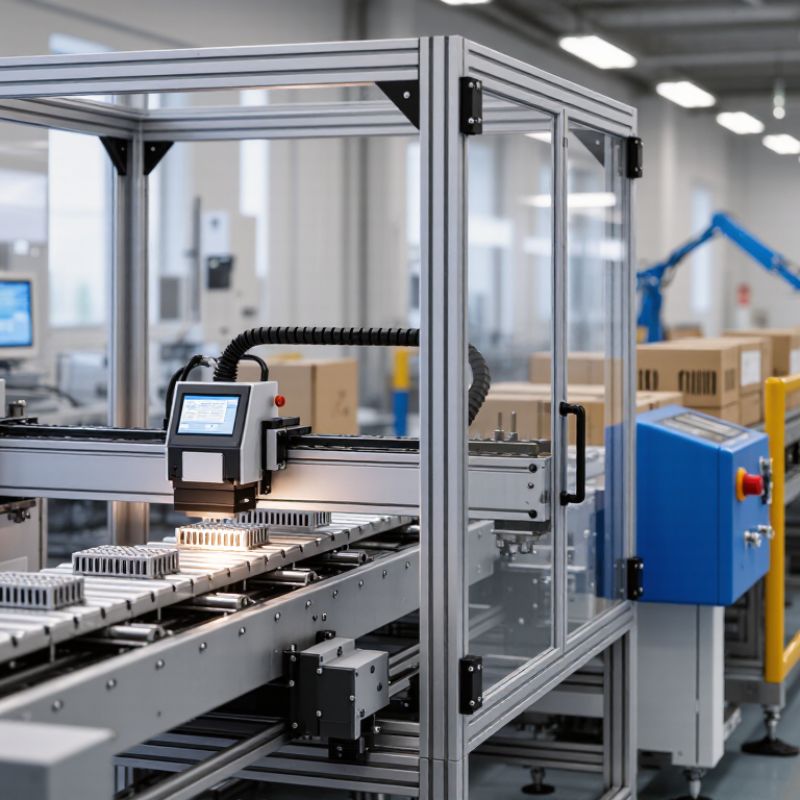
Industrial printing systems are production tools, not simply larger office printers. They apply text, graphics, codes, or patterns directly to materials such as cartons, plastic film, metal, textiles, and building products. A typical line may combine a printer, material feeder, curing or drying unit, inspection camera, and control software. The exact setup depends on the substrate, line speed, print durability, and required detail. Some systems print variable data, such as batch codes, on moving packages; others decorate broad surfaces in repeatable runs.

The definition is not perfectly tidy. Industrial printing can include digital inkjet, screen, flexographic, and other processes when they serve manufacturing or high-volume production. The choice changes cost, setup time, color range, and maintenance needs.

Smithers’ The Future of Digital Print for Packaging to 2029 estimates that digital packaging print will grow from about $22.3 billion in 2024 to $36.9 billion in 2029. That forecast concerns packaging, not every industrial-printing application, but it signals expanding use of short runs and customized designs.

On a factory floor, small details matter. Ink must adhere after handling, and a barcode must remain readable after the surface is curved or coated. A fast printer is not automatically a good fit; downtime, waste, and inspection failures can erase speed gains. I would test the actual material and production conditions before choosing a system. It is easy to overlook that step.

How Industrial Printing Systems Work

How Industrial Printing Systems Work

An industrial printing system starts with a digital file. RIP software converts artwork into precise instructions for color, placement, and ink volume. A controller sends those instructions to the printheads as material moves through the machine. Depending on the system, piezoelectric heads may place tiny ink droplets onto packaging, labels, textiles, or manufactured parts. The surface may need cleaning or a primer first. Then heat or ultraviolet light cures the ink. Sensors check alignment and registration while the line runs. The sequence sounds tidy. Real lines are less tidy.

Smithers’ report The Future of Digital Printing to 2032 projects the global digital printing market will reach $230.5 billion in 2032, up from $167.5 billion in 2022. This market forecast provides context for digital printing’s growth, but it does not mean every factory needs the same equipment. Substrate, print speed, ink compatibility, and curing requirements all affect the result. A small change in surface texture can cause weak adhesion or uneven color. Operators still need to test settings; automation does not remove every judgment call.

Tips: Test on the actual production material, not just a sample sheet. Check cure and adhesion after printing. Keep a record of settings that work. Small adjustments matter.

Main Types and Business Applications

Why Choose Industrial Printing Systems for Your Business?

Main Types and Business Applications

Industrial printing systems differ by how they transfer ink or toner and what materials they can handle. Continuous inkjet printers mark moving products, such as bottles, cartons, and cables. They suit production lines that need fast coding, though ink choice and surface cleanliness affect legibility. Thermal transfer systems use heat and a ribbon to print durable codes on flexible packaging and labels. They work well for variable data, but ribbon changes add a small recurring task.

Large-format inkjet printers produce signs, display graphics, and textile designs on broad sheets or rolls. They offer flexible color work, while drying time and material handling can limit throughput. Laser systems mark selected surfaces without ink, making them useful for permanent product identification. Their performance depends on the material, so testing a real sample is sensible. Small details matter.

Business fit comes down to more than print quality. A packaging line may need clear date codes at speed; a warehouse may need readable labels that survive handling. Compare substrate, line speed, print size, maintenance access, and the cost of consumables. Ask operators to review samples under actual lighting and after normal handling. A polished demo can mislead. Even a capable system may frustrate staff if cleaning is awkward or setup takes longer than expected.

Benefits for Business Operations

Why Choose Industrial Printing Systems for Your Business?

Benefits for Business Operations

Industrial printing systems can make everyday production more predictable. Teams can print labels, instructions, or packaging information near the point of use, reducing trips between departments. A clear print queue also helps operators see what is urgent and what can wait. Less searching. When work orders change, staff can update files and reprint only the affected materials, rather than sorting through a large batch of outdated copies.

Consistent output supports quality checks. For example, a supervisor can compare a printed label against a work order before a product leaves the line. Durable materials may also remain legible through handling, storage, or exposure to dust, depending on the printer and supplies selected. This helps reduce misread information and avoidable rework. It does not remove the need for inspection. A smudged code or incorrect setting can still disrupt a shift.

The operational value depends on fit, not just speed. Businesses should consider print volume, media size, maintenance access, and how the system connects with existing workflows. A small trial can reveal whether staff can load materials, clear jams, and manage routine changes without delaying production. Training takes time, and older processes may not disappear neatly. That part is easy to underestimate. Tracking downtime and rejected prints over several weeks gives managers practical evidence for deciding what to adjust.

Factors to Consider When Choosing a System

Choosing an industrial printing system starts with the work it must handle. List the materials, print widths, daily output, and required image detail. A system for labels may not suit large panels or textured packaging. Check whether its speed remains practical at your chosen resolution. Fast on paper is not always fast on the production floor.

Tips: Test sample jobs using your actual material. Inspect small text, edge sharpness, drying time, and alignment. Ask operators to assess loading and routine cleaning, too.

Consider the full operating environment. Dust, heat, vibration, and limited floor space can affect performance and service access. Compare ink or other consumable use, maintenance intervals, training needs, and expected downtime—not just purchase price. Confirm that the system can connect with your existing workflow and that technical support is available when needed. A tidy specification sheet can still mislead. Real production samples offer better evidence, although one test cannot predict every shift or material batch. Leave room for growth, but avoid paying for capacity your team may never use.

bottom of page